Generate Viral AI Videos Without Watermark Online
“Innovation distinguishes between a leader and a follower.” — Steve Jobs. This guide shows how a web-based tool can take a simple script or an image and turn it into a share-ready short clip fast.
Define the promise: a viral ai video generator without watermark helps creators and brands make clean, post-ready videos that don’t distract from messaging or ads. It streamlines idea-to-publish workflows in a single platform.

Built for beginners and pros, the platform pairs quick text-to-video and image-to-video modes with multiple model choices and in-browser editing. You can create videos in minutes, test content angles, and keep production consistent across social media and other media channels.
Start creating now and see how fast professional-looking clips can support ad and organic strategies.
Key Takeaways
- One tool replaces scattered software for faster video creation.
- Clean exports mean better branding and ad performance.
- Text-to-video and image-to-video options speed testing.
- Multiple models and in-browser editing give flexible control.
- Designed for U.S. creators focused on short-form social media results.
Why a watermark-free AI video generator matters for viral social media content
When exports carry no added logos, the creative reads as native content and drives higher engagement.
Post-ready visuals for TikTok, Instagram Reels, YouTube Shorts, and paid ads
Clean exports remove friction on platforms where trust and clarity matter. Native-looking short clips keep viewers watching and improve ad conversions.
Built-in editing tools cut hours of work into minutes. Creators can tweak captions, resize for each platform, and export polished videos without jumping between apps.
Brand-safe video creation
Sans overlays, content is easier to approve and whitelist for campaigns. Teams can repurpose assets across channels and maintain consistent looks for promotions and UGC-style ads.
- Faster testing: produce multiple clips and thumbnails in less time.
- Single workflow: generate, edit, and export without third-party tools.
- Flexible sources: mix AI-generated media, stock, or your own footage to keep ideas fresh.
Next, learn how to create high-quality videos from text or images in minutes and speed up production even more.
Viral ai video generator without watermark: create videos from text or images in minutes
Turn a single idea into share-ready clips in minutes using simple text or an uploaded image.
Free text to video generation from prompts, scripts, and ideas
Type a short prompt, paste a script, or jot down quick ideas and the tool will build scenes suitable for short-form social clips in minutes. More detail in your prompt — like shot type, motion cues, and transitions — improves the result while the process stays fast and beginner-friendly.
Online image to video animations that add motion, depth, and cinematic frames
Upload a product image or creative still and the system animates objects, adds depth, and builds cinematic frames in real time. This turns one static image into a dynamic ad clip or a teaser for Shorts and Reels.
One-click generation designed for beginners and fast turnaround
The one-click workflow removes complex setup. No technical training or heavy software is required. You can test multiple concepts and export publish-ready videos in minutes for quick content iteration.
Model flexibility for different styles, budgets, and quality targets
Switch models to match your needs — from fast social clips to cinematic output. Options like Veo, Kling, Hailuo, PixVerse, Seedance, and Sora let you balance style and quality against speed and cost.
“Clean exports mean you can publish or run ads immediately, saving time and keeping brand assets consistent.”
| Use case | Input | Output | Turnaround |
|---|---|---|---|
| Product ad | Single image | Animated clip with motion and depth | Minutes |
| Teaser reel | Short prompt/script | Multi-scene short-form clip | Minutes |
| Rapid test | Idea list or prompts | Several clips for A/B testing | Minutes |
Publish-ready outputs are produced with no overlays to remove, so exports remain clean and ad-friendly. Next, you’ll see a clear “prompt to export” walkthrough of the online process.
How the online video generation process works from prompt to export
This streamlined process turns a short idea into publish-ready files fast, so teams can test more concepts and keep production flowing.
Describe your concept and generate scenes in seconds
Start by typing a short prompt or choosing a starter prompt that states the hook, visual direction, and pacing. The tool then creates editable scene cards in seconds for rapid iteration.
Tip: Keep prompts focused: hook first, one visual cue, and a desired length. That structure helps the system make tighter drafts.
Customize aspect ratio, music, captions, and narration
Use simple controls to set aspect ratio for each platform, pick music and audio levels, and select caption styles. Add narration or a voiceover and replace footage with uploads, stock clips, or newly generated scenes.
- Aspect: choose vertical, square, or widescreen.
- Music & audio: swap tracks and set timing for stronger engagement.
- Captions: apply styles optimized for short-form playback.

Export or keep polishing in the in-browser editor
Finally, export a ready file or stay in the browser editor to version and polish. The built-in editor saves time and keeps teams from switching tools during iterative creation.
“Fast drafts plus precise controls make it simple to test multiple hooks and improve performance.”
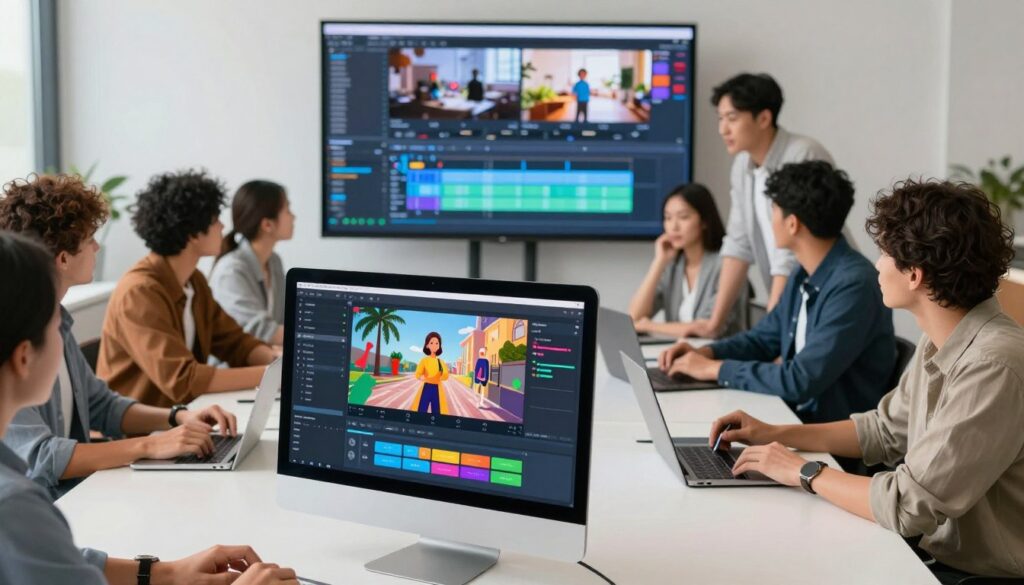
Built-in video editor for text, captions, music, and polish
The built-in editor turns rough cuts into polished clips with fast text, audio, and motion controls.
Why an integrated editor matters: captions, pacing, and on-screen text hierarchy make the difference between a draft and a high-retention clip. In-browser tools speed edits so teams publish more tests and better-performing videos.

Add on-screen text, subtitles, and caption styles
Apply readable captions and subtitle presets built for short-form clips. Accurate captions help viewers who watch on mute and improve accessibility.
Swap footage with generated media, stock videos, or uploads
Replace scenes easily using AI-generated media, stock videos, or your own images. Swapping footage keeps brand consistency without restarting the project.
Use animations, graphics, and background visuals
Drag-and-drop animations, callouts, and background visuals to highlight benefits, prices, or CTAs. Simple graphics add motion and lift perceived quality.
- Music & audio: add background music, balance levels, and align beats with cuts to boost watch time.
- Quick polish: trim, reorder, and export in one browser session to cut tool sprawl and speed turnaround.
Next: choose model and style controls to shape base output quality and look for each project.
AI models, styles, and quality controls for professional-looking videos
Pick the right model to match your goal — speed, cinematic flair, or budget-friendly turns.
Choose by need: pick faster generation for social clips or premium models for cinematic visuals and higher quality. Options like Veo 3 / Veo 3.1 (Fast), Kling (motion/physics), Hailuo, PixVerse, Seedance 1.0 Pro, and Sora 2 Pro give practical choices in one workflow.
How model choice affects the final file
Faster models focus on turnaround and lower cost. Premium models emphasize detail, lighting, and refined motion. That means fewer edits later and better first-pass results.
Style controls and audio considerations
Toggle styles to shift from realistic product scenes to stylized, cinematic looks. Some models support embedded audio tracks and synchronized sound design. For short social clips, silent-first edits with captions often perform best.
Export quality and practical benefits
Export in HD output and set duration targets for each platform to match placement needs. Quality controls reduce rework, speed iteration, and let teams produce more variants for testing.
“Model flexibility lets teams balance speed, look, and budget so creative testing runs faster and performs better.”
Who benefits: creators needing quick clips, e-commerce sellers animating product stills, and marketing teams that require consistent visuals across platforms.
Who it’s for: creators, marketers, and teams scaling video creation
Creators working on tight schedules can turn ideas into polished clips in a single browser session.
Content creators and influencers producing short clips fast
Solo creators and influencers get rapid clip production for social media trends. One-click generation and in-browser editing cut setup and reduce editing time.
Benefits: faster turnaround, more tests, and room to try new hooks and formats.
E-commerce sellers turning product images into dynamic ads
E-commerce teams can convert a single image or product shot into motion-rich ads. This replaces a costly shoot and helps highlight features with depth and motion.
Why it works: animated product clips improve ad performance and speed time to market.
Marketing teams building campaigns with consistent visuals
Marketing users produce multiple versions for platforms, keep brand style consistent, and centralize review cycles in one web-based tool.
Collaboration perks: shared projects, easy swaps between AI, stock, or uploads, and faster approval leads to more experiments and better learnings.
| User | Main need | How the tool helps |
|---|---|---|
| Creators | Fast social clips | One-click creation, quick edits, more tests |
| E‑commerce sellers | Product ads from images | Animate product images, cheaper than shoots |
| Marketing teams | Campaign scaling | Consistent visuals, centralized editing, faster approvals |
“Watermark-free exports make paid ads and partner content ready for publishing and brand use.”
Outcome: faster creation, strict quality control, and publish-ready results that reduce tool sprawl and save time for users.
Conclusion
A single browser session is all it takes to move from prompts and text to an HD export that fits any platform.
Recap: this web-based generator turns short text or an image into clean, publish-ready video files with no watermark, end-to-end in the browser.
Key differentiators include fast text and image generation, one-click speed, model choices for look and cost, and a built-in video editor for quick editing and polish.
Publish with captions, synced music, and platform-ready aspect ratios to boost reach on Reels, Shorts, and paid placements. Create videos in minutes and keep media consistent across campaigns.
Get started: start generating, edit in-browser, and export publish-ready videos for your next campaign or content sprint.
FAQ
How can I create shareable short-form clips from text or images?
Describe your idea or paste a script, then choose an aspect ratio and style. The platform converts prompts or images into motion clips in seconds. You can add music, captions, and a voiceover before exporting an MP4 ready for Instagram Reels, TikTok, or YouTube Shorts.
Do I need editing skills to produce professional-looking content?
No. One-click generation and a built-in editor let beginners swap footage, refine captions, and adjust timing. Templates and model presets help you match a cinematic or fast social style without advanced editing knowledge.
What formats and aspect ratios are supported for social platforms?
Common export options include vertical (9:16) for Reels and Shorts, square (1:1) for Instagram, and landscape (16:9) for YouTube and ads. You can switch ratios during editing to optimize each platform.
Can I add my own images or stock footage to generated projects?
Yes. You can import product photos, brand assets, or stock clips and then blend them with AI-generated scenes. This helps create branded ads or product showcases without juggling multiple tools.
How do I control voiceover and music in a project?
Pick a narration style, upload your own voice file, or use built-in voice synthesis. Add background music from the library or upload tracks, then adjust levels and timing in the editor for balanced audio.
What model and style options exist for different budgets and quality needs?
Choose from a range of generation models and presets to prioritize speed, realism, or stylized visuals. Higher-quality models produce cinematic frames while lighter models yield fast, short-form clips for social ads.
How long does it take to generate a finished clip?
Simple text-to-clip runs can finish in seconds to a few minutes. More complex scenes, higher resolution, or longer duration increase processing time. The editor lets you iterate quickly without redoing the whole project.
Can teams collaborate on projects and maintain consistent brand assets?
Yes. Teams can share templates, style guides, and asset libraries so creators and marketers produce consistent content. Role-based access helps manage who edits, publishes, or exports.
Are there controls for output quality like HD or bitrate settings?
Export settings typically include resolution (HD or higher), frame rate, and bitrate. Pick short-form friendly durations and optimized bitrates for fast uploads to social platforms or higher-quality files for paid ads.
What copyright and licensing options apply to generated media and stock assets?
Licensing depends on the platform and stock providers. Review the service terms to confirm commercial use, redistribution rights, and any attribution requirements for included music or clips.
How do I turn product images into short, conversion-focused ads?
Upload product photos, select an ad-focused template, and apply motion, captions, and call-to-action overlays. Add music and concise copy to create quick, attention-grabbing clips tailored for e-commerce platforms.
Is there a free way to test text- or image-based creation before committing?
Many services offer limited free trials or sample credits so you can test prompt-based generation, the editor, and export quality before choosing a paid plan that fits your workflow.
Which platforms are best for distributing short-form content created with these tools?
Instagram Reels, TikTok, YouTube Shorts, and paid social ad placements are common targets. Export settings and caption styles should be adjusted for each platform to maximize engagement.
Can I replace generated footage later without redoing captions or timing?
Yes. The editor typically allows swapping clips while preserving text layers, captions, and timing. This makes iterative edits and A/B tests faster and less disruptive.
What measures ensure brand safety and consistent visuals?
Use team templates, locked brand colors and fonts, and approved asset libraries. These controls prevent off-brand elements and maintain visual consistency across campaigns and creators.